This content is currently unavailable in Spanish. You are viewing the default (English) version.
Version 1.19
Product Enhancements
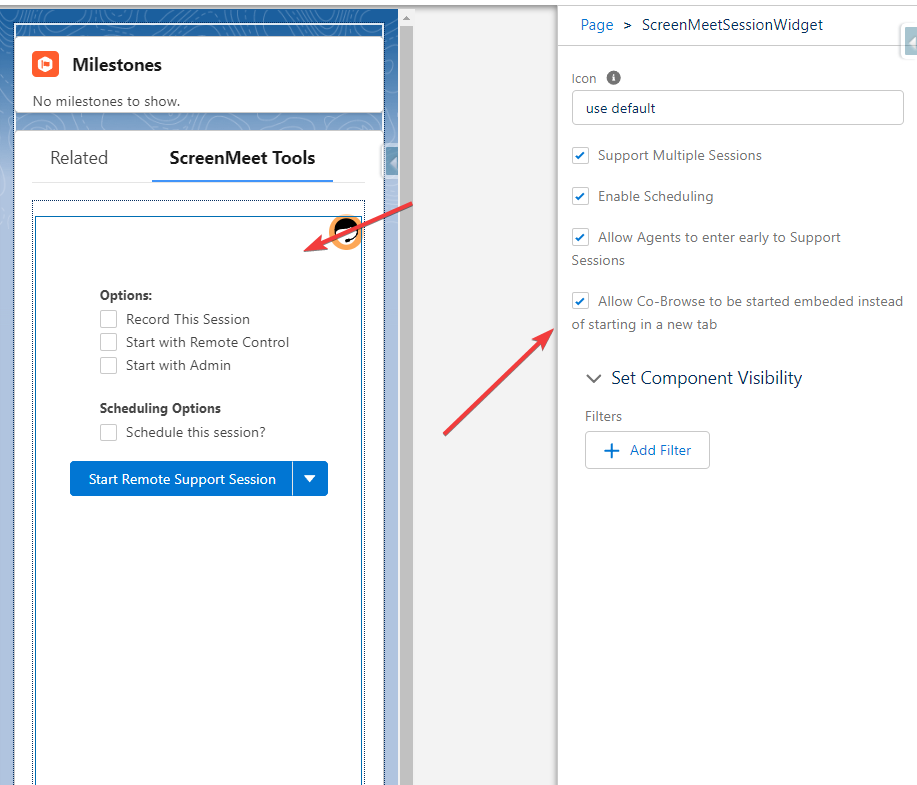
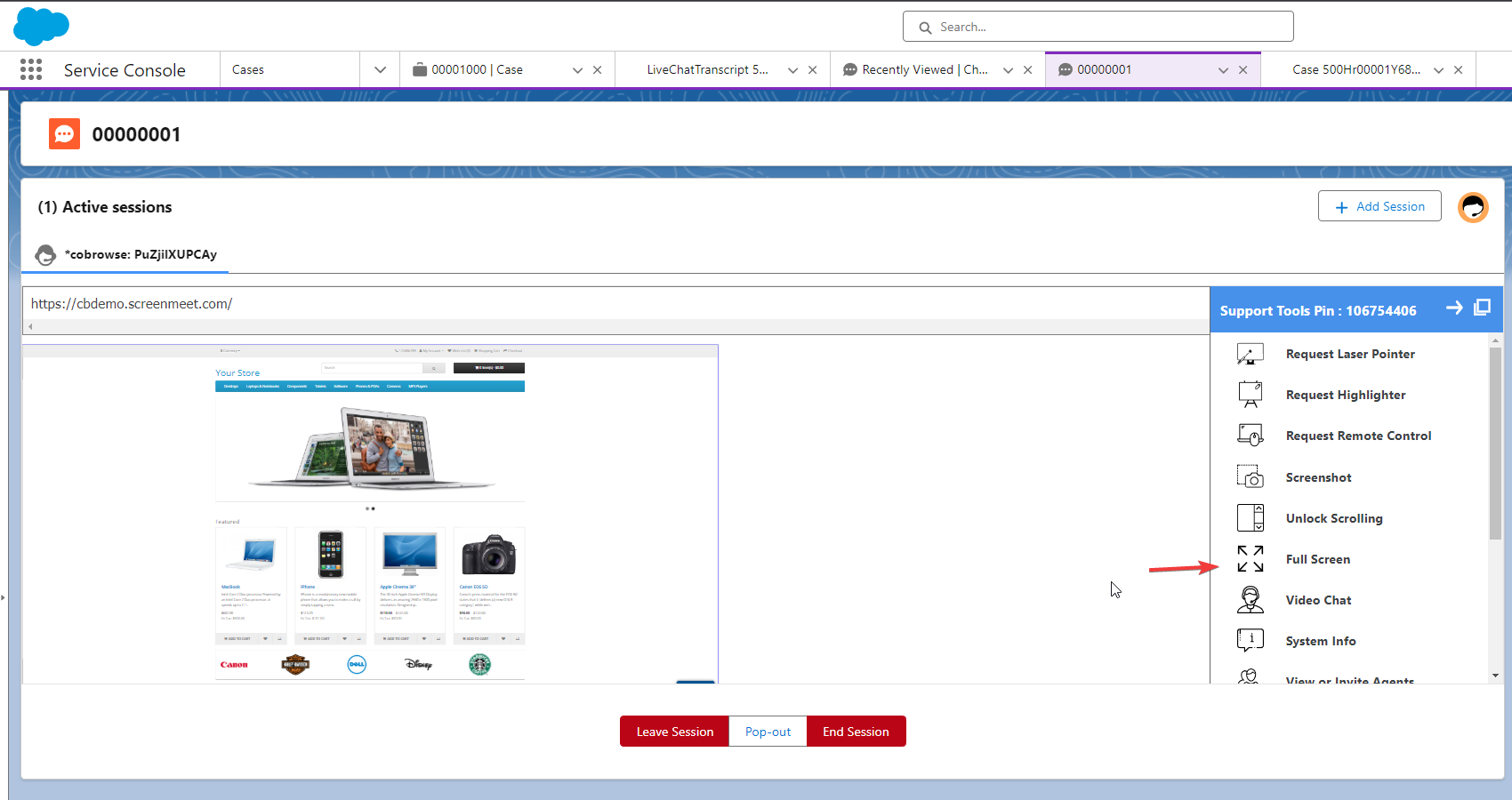
Added the ability for the CoBrowse viewer to be visible via an iFrame within a given Salesforce object (chat transcript, case, etc) to improve user experience and remove the need for context switching via tabs.
Navigate to the page layout where ScreenMeet is deployed as a Salesforce administrator
Click on the ScreenMeet component
Check the "allow Co-Browse" option within the ScreenMeetSessionWidget.
added functionality that when the CoBrowse screen is viewed in the embedded format, the agent can press a button to view the CoBrowse viewer in a full screen view.
Version 1.18
Product Enhancements
For scheduled ScreenMeet sessions, users now have the option to save to their calendars.
A new report has been introduced to identify ScreenMeet users.
The Replay link in the widget has been enhanced to function as a clickable hyperlink, improving usability.