Generated scripts are short, agent-written operations for a step that available pre-built tools do not cover. Pre-built tools are preferred. Generation is off by default and needs both an organization allowance and a session choice.
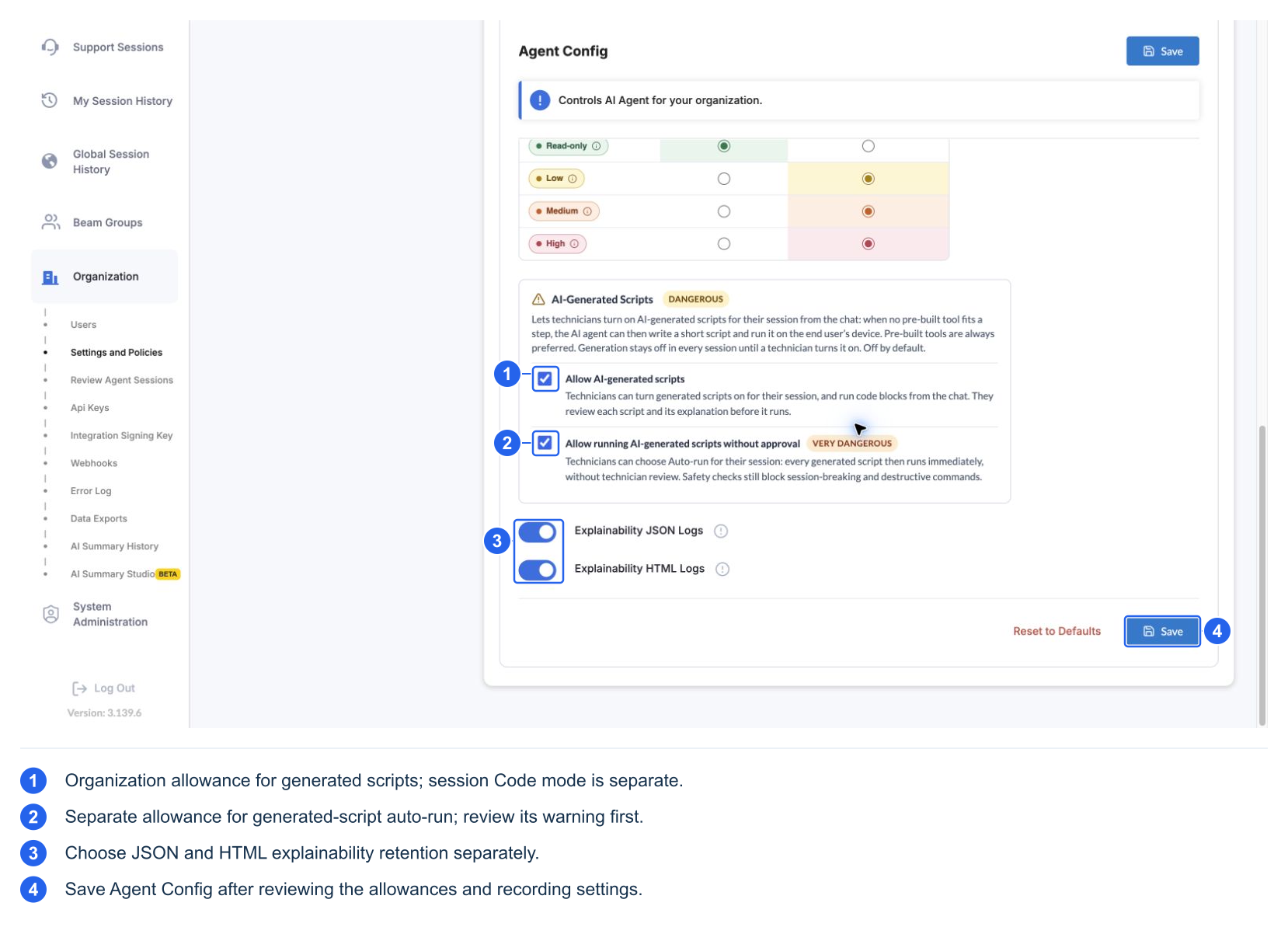
This test organization already allows both options. These selected values are not the defaults or a recommendation.
Organization allowance versus session mode
The administrator's Allow AI-generated scripts setting permits the capability. Allow running AI-generated scripts without approval additionally permits the session's auto-run option. Enabling these allowances includes an explicit danger acknowledgement in the configuration workflow. Saving the allowance does not select a session mode for technicians.
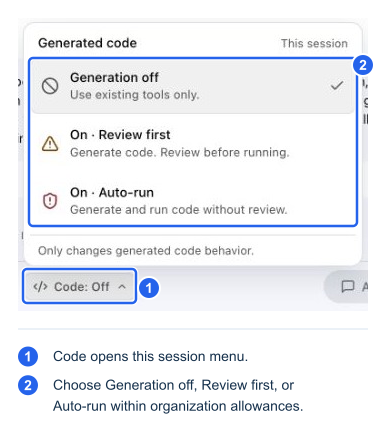
The technician uses the chat's Code menu. Its choices are Generation off, On · Review first, and, when allowed, On · Auto-run:
| Organization permits generation | Organization permits auto-run | Session Code choice | Expected result |
|---|---|---|---|
| No | Either | No effective enabled mode | The agent cannot generate executable scripts; code-block execution is unavailable through this allowance |
| Yes | No | Off | The agent does not generate scripts; an explicit eligible code-block Execute action can still enter review |
| Yes | No | On · Review first | Generated scripts wait for review |
| Yes | Yes | Off | Generation remains off |
| Yes | Yes | On · Review first | Generated scripts still wait for review |
| Yes | Yes | On · Auto-run | New generated scripts can run without technician review, subject to safety, privilege, and other applicable checks |
The selected mode belongs to the session and can be shared by its technicians. New sessions start at Off. Start over keeps the Code mode; clearing the conversation is not a way to disable generation. Check the displayed mode explicitly.
Changing from review to auto-run does not approve a script already held for review. Turning generation Off makes pending agent-written scripts unavailable for dispatch. These modes do not change built-in tool risk settings or organization tool selections.
Review a generated script
- Read the AI-generated script card's purpose and expected effect.
- Select Review script to inspect its exact source.
- Check whether it Only reads information or Makes changes on the device, and whether it runs as the signed-in user or as administrator.
- Select Run script to approve, or Don't run to decline.
- After execution, inspect the outcome and View script/execution details if needed.
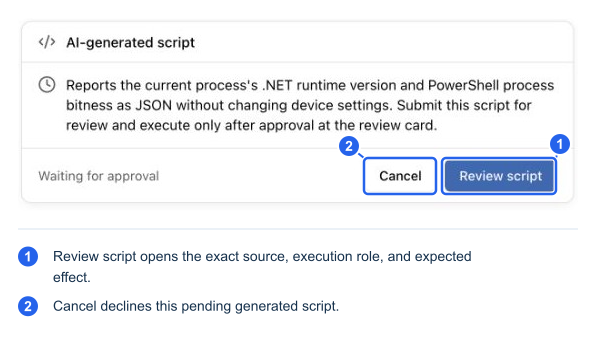
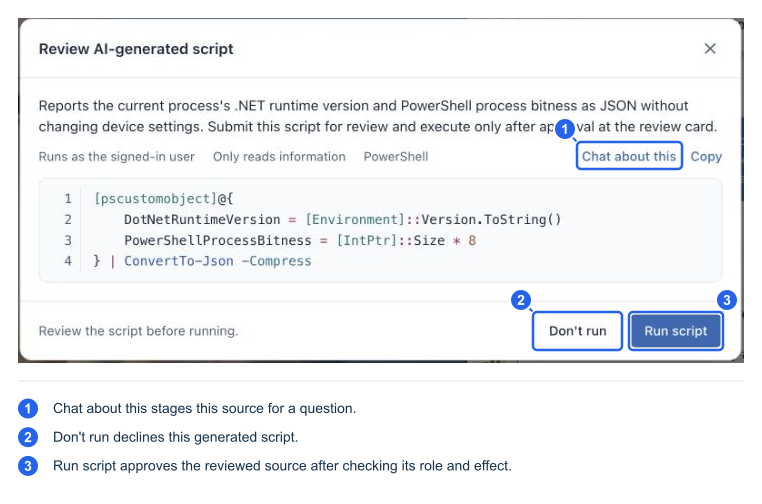
Live capture with Code: Review selected. This read-only .NET/runtime example was declined after capture, so it was not dispatched. The session was then returned to Code: Off.
The reviewed script is bound to that decision; it must not be silently regenerated after approval. The result can progress through Waiting for approval, Approved, Running…, Ran successfully, Failed, or Not run.
Safety checks run before a proposal, again at dispatch, and on the host. They reject known unsafe patterns such as session-breaking operations, unsupported destructive commands, unsafe dynamic execution, and commands likely to hang for interaction. Passing those checks is not a guarantee that the code is correct or suitable for the device. Review remains valuable.
Generated code cannot bypass managed software/download policy by running an installer directly. If the required enabled tool or a supported safe script is unavailable, expect an explanation, a clarification, or manual next steps rather than a workaround around policy.
Custom-tool AI authoring is a separate workflow. Administrators can ask an authoring assistant to prepare a reusable custom tool, review the proposal, and test it. That does not enable session script generation or automatically execute the proposed source.