| Ask | Agent | |
|---|---|---|
| Answers questions and explains attached evidence | Yes | Yes |
| Can use configured KB and web sources | Yes | Yes |
| Runs device tools in response to an ordinary message | No | Yes, subject to availability, approval, and privilege |
| Needs active Remote Control | No device execution is requested | Yes |
| Preserves a pending plan while you discuss it | Yes | A new device-work request can put unfinished work on hold |
The Ask / Agent control appears when the organization enables AI Agent. A disabled Agent option explains the missing prerequisite, for example Remote Control is required for Agent Mode or Device doesn't support Agent Mode. Losing the connection or Remote Control can force a temporary fallback to Ask. Check the selected mode before sending a request.
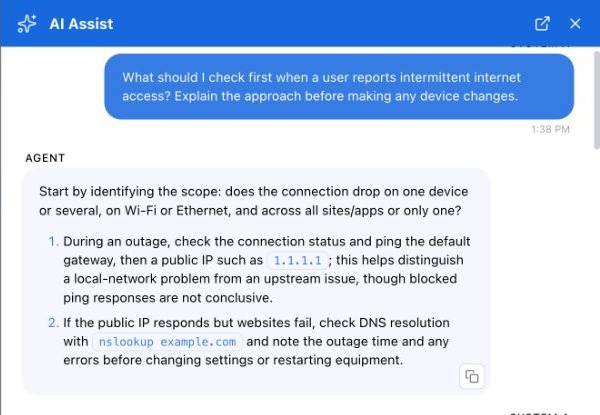
Ask provides an approach without dispatching a device diagnostic.
Use Ask when you want to understand something before deciding. Use Agent when you want the agent to carry out an investigation or an approved operation. Selecting Agent does not approve every operation; organization execution policy still applies.
The Execute action on a code block is an explicit execution workflow. It can be offered even when you are discussing code in Ask. Read its review card before running it; do not assume that Ask disables a separate Execute action you deliberately select.