Open Organization → Settings and Policies → AI Assist. Your account needs the organization's administration permissions and the corresponding product entitlement. Some deployment settings are restricted to ScreenMeet administrators.
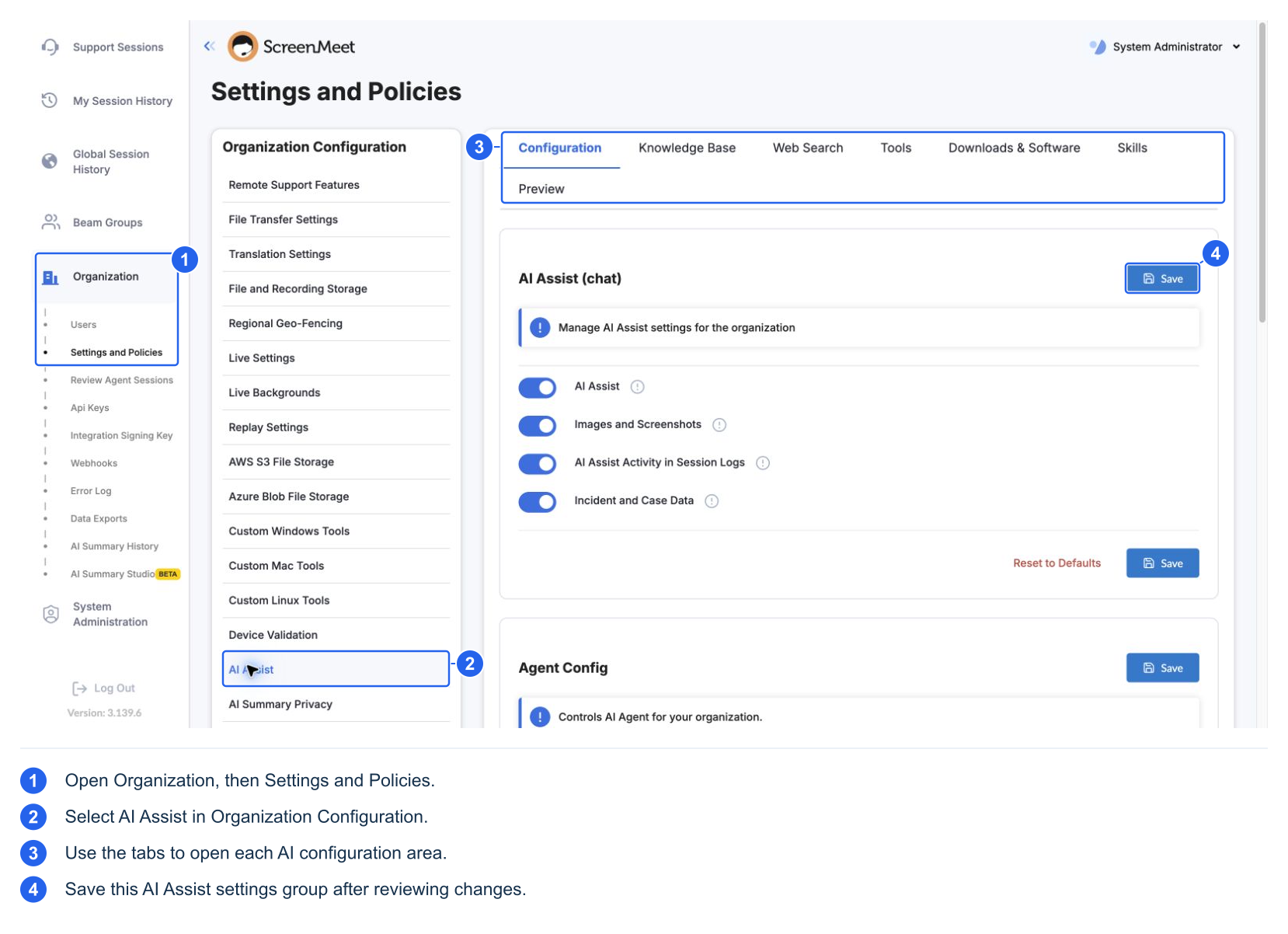
| Tab | What it controls | How changes are applied |
|---|---|---|
| Configuration | AI Assist, images, logging, case context, Agent, behavior, risk approvals, generated-code allowances, provider where available | Save the relevant form; use a new support session for changed session configuration |
| Knowledge Base | Provider connections, article scope, search triggers, trust, and result limits | Save source/settings; source enablement is a separate switch; available catalog changes can apply on the next agent turn |
| Web Search | Public search sources, domain scope, purpose, triggers, trust | Save the source; enable it separately; sources are versioned |
| Tools | Built-in tool opt-in and enablement; custom-tool authoring, revisions, publication, and selection | Save tool selections; new support sessions and preview requests use the saved catalog |
| Downloads & Software | Shared download policy, installer trust rules, and advanced exceptions | Save this page; it does not enable tools |
| Skills | Built-in and organization procedure selection and authoring | Selection switches save immediately; changes apply to new conversations, including Start over |
| Preview | Exercise AI behavior using sample device and case data | Uses saved organization configuration; simulated tool results are not a real-device test |
The chat and Agent configuration areas have their own Save controls. Saving one form does not implicitly save other forms. Pending tool selections across Windows and Mac share a Tools Save action. Skill and source enablement switches use their own immediate-save workflows; do not assume every switch waits for a page Save.
Most organization/session settings are captured when the support session is created. Reopening the AI panel is not a new session. For policy validation, save, create a fresh session, and verify the resulting behavior. Source catalogs and skill loading have their own refresh boundaries described above. Start over does not universally reload every organization setting.