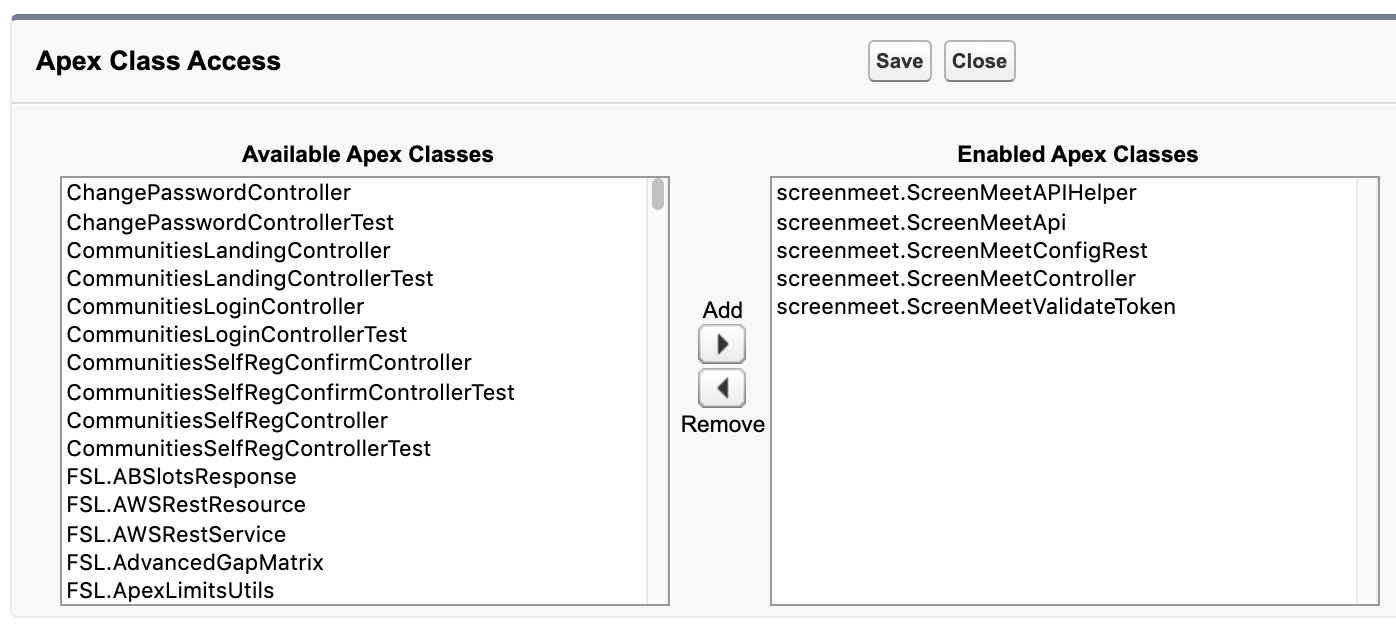
Several apex class permissions are required for ScreenMeet to function in your Organization.
- Open the Permission Set called ScreenMeet Agent, which you had created in an earlier step.
- Click on Apex Class Access.
- Click the Edit button.
- Select the following Available Apex Classes and add them to Enabled ApexClasses, then click Save.
- screenmeet.ScreenMeetApi
- screenmeet.ScreenMeetAPIHelper
- screenmeet.ScreenMeetConfigRest
- screenmeet.ScreenMeetController
- screenmeet.ScreenMeetValidateToken